
Conversation Info
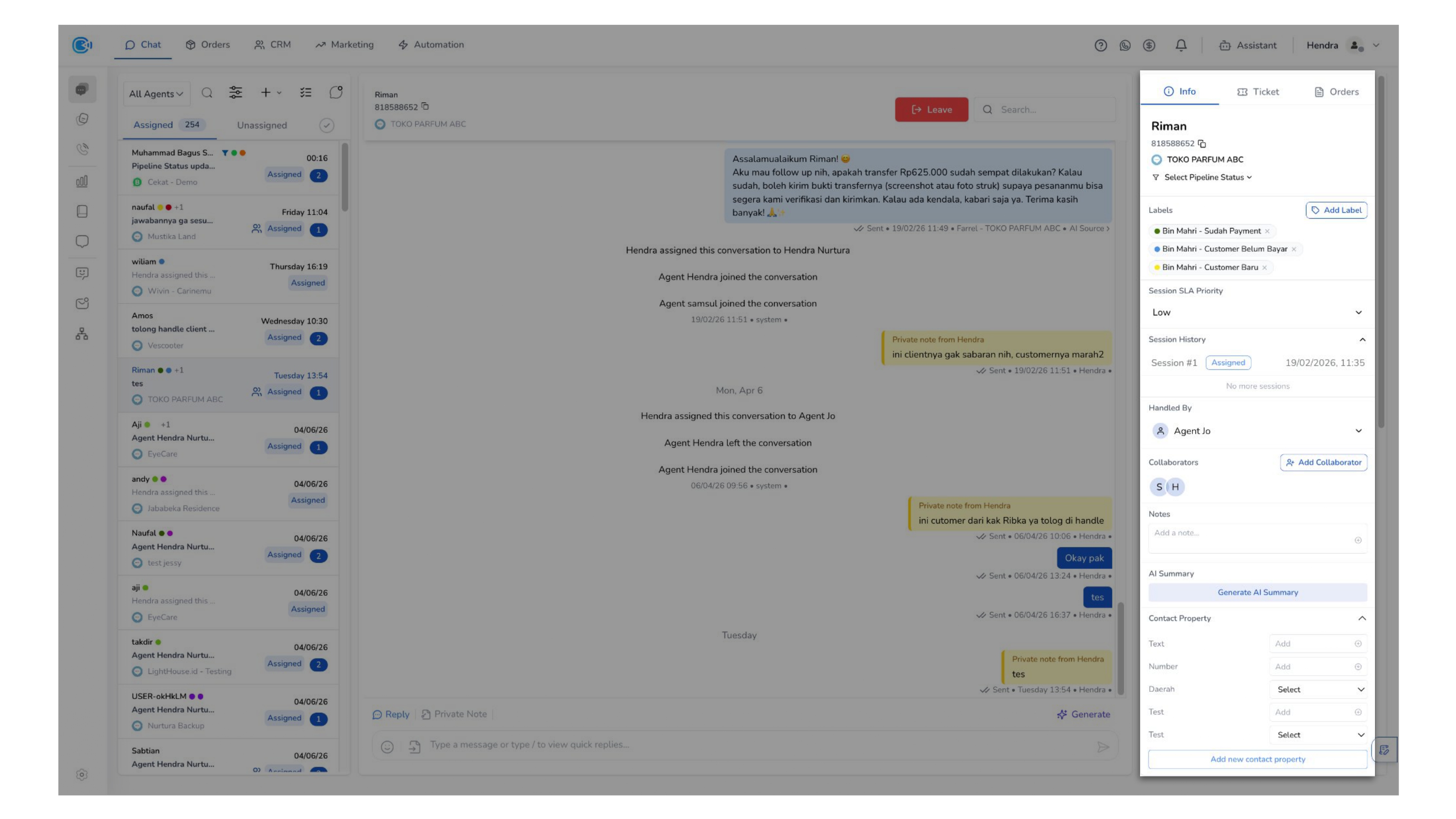
Located on the right side of the Conversation Room, the Conversation Details panel provides a comprehensive view of customer information and conversation context.
By consolidating relevant data in one place, this section helps you better understand the customer, maintain context, and handle conversations more effectively.
Conversation Details ensures that every interaction is supported by complete context—allowing you to make informed decisions, collaborate effectively, and deliver better customer experiences.
To help you quickly identify key information, customer details are displayed at the top of the panel.
a. Contact Information
Located at the top of the panel, this section displays key customer details:
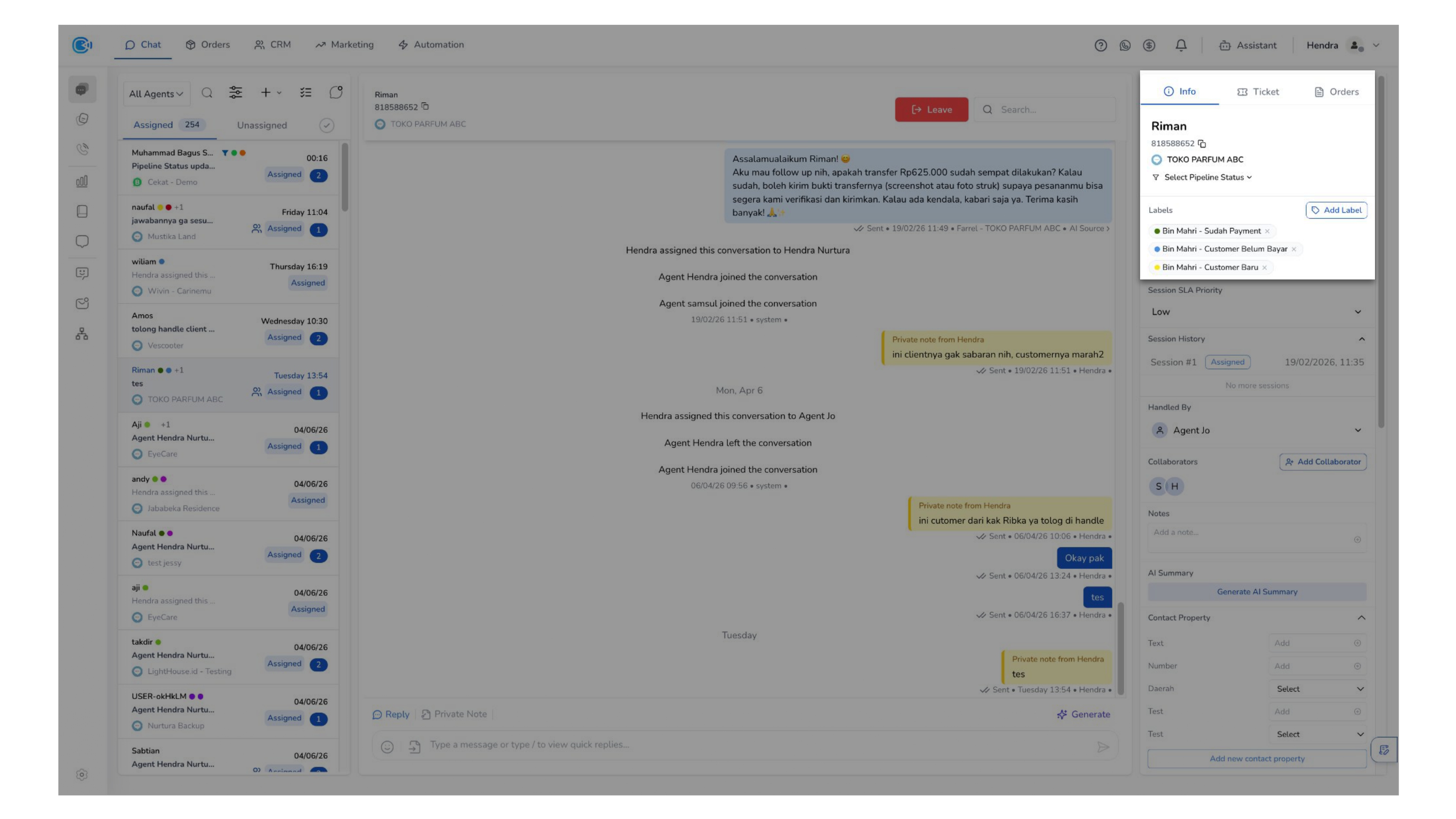
- Customer Name — Displays the customer's name as the primary identifier in the conversation.
- Identifier (by phone number/id) — Displays the customer's phone number used in the conversation.
- Platform — The platform is used to identify the source channel of a conversation, such as WhatsApp or Instagram.
- Pipeline — Pipeline is used to track the stage or progress of a conversation within your workflow.
b. Label
Labels are used to categorize conversations based on specific criteria. You can add or remove labels to help organize and segment conversations as needed.
c. Session History
Session History provides you with a clear view of past interactions, helping you understand conversation context over time, track resolution history, and handle follow-ups more effectively.
Each session represents a continuous interaction. Once a session is marked as Resolved, it is considered completed. If the customer sends a new message after a session is resolved, a new session will be created automatically.
d. Ownership and Collaboration
The Ownership & Collaboration feature helps you manage responsibility and teamwork within a conversation, ensuring every interaction is handled clearly and efficiently. It allows you to assign ownership while enabling collaboration across multiple agents when needed.
This feature consists of two key components:
- Handled by — Indicates the primary agent responsible for the conversation. This helps ensure clear ownership and accountability.
- Collaborator — Allows you to add additional agents to the conversation. This is useful when multiple agents need to collaborate or when additional support is required.
e. Notes
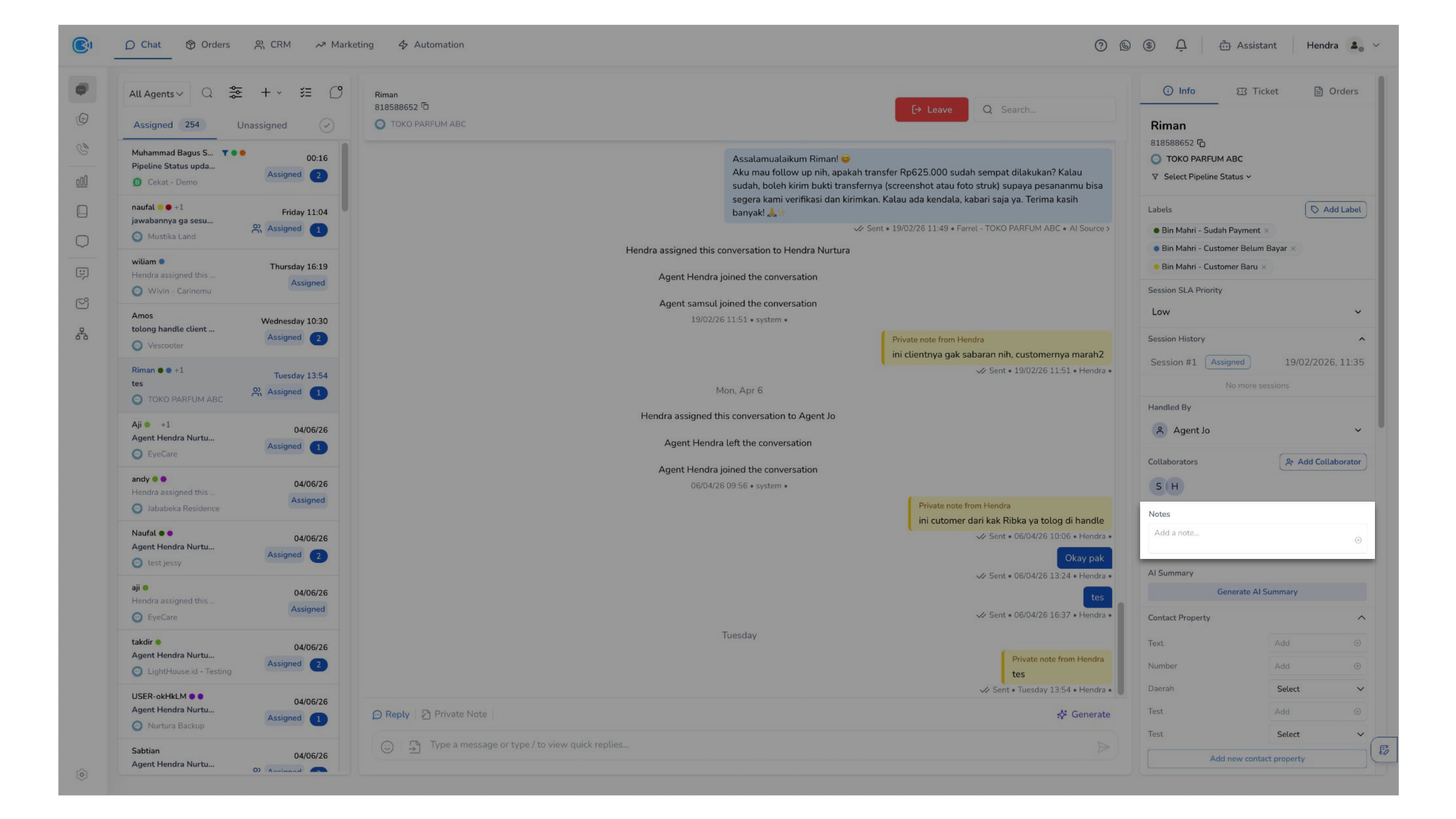
This section allows you to store internal notes that are only visible to agents. You can use these notes to record important customer information, share internal context, and track follow-up actions.
f. AI Summary
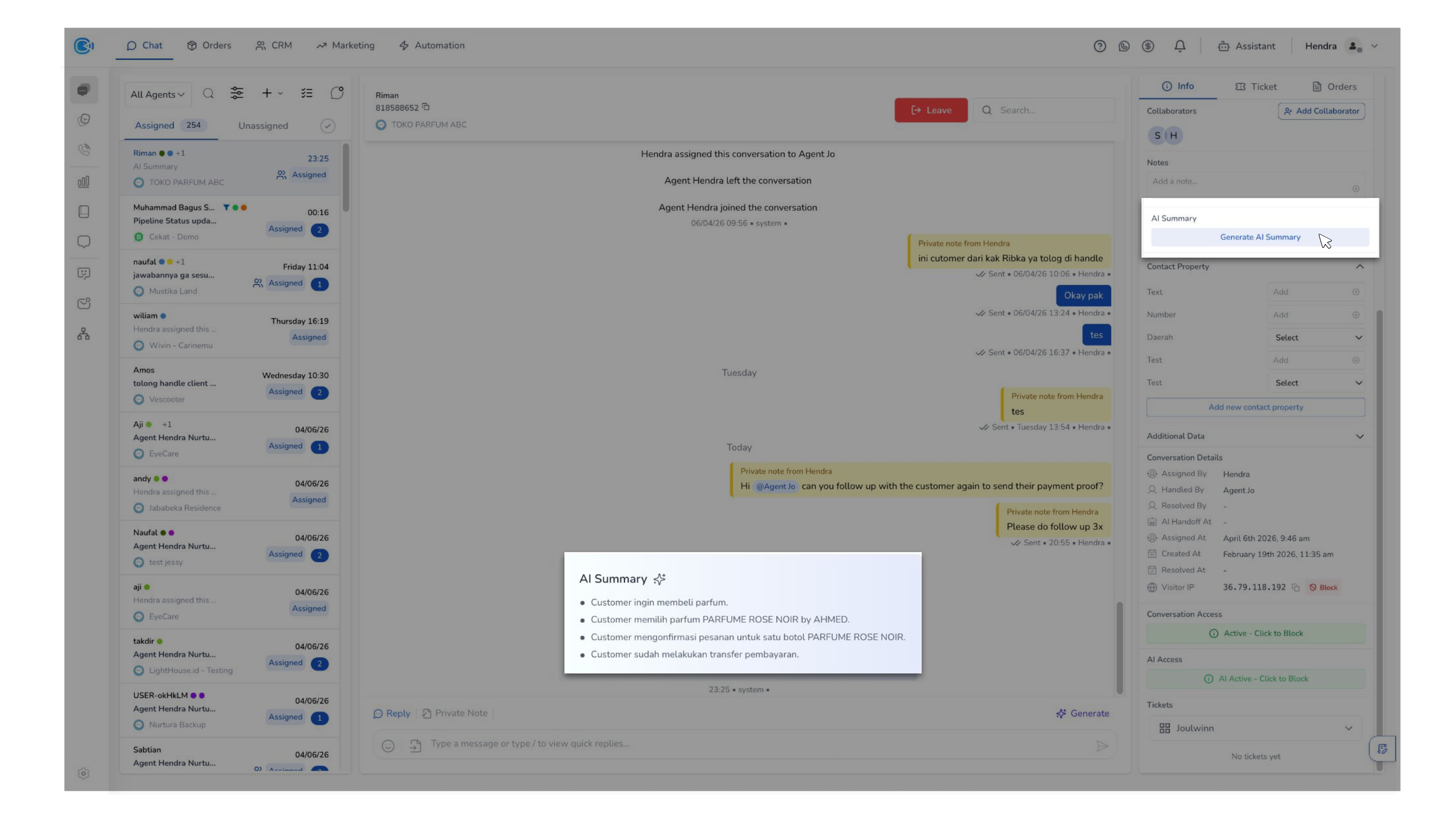
Provides an automatically generated summary of the conversation, allowing you to quickly understand the context, avoid reading the entire chat history, and respond more efficiently.
g. Contact Properties and Additional Data
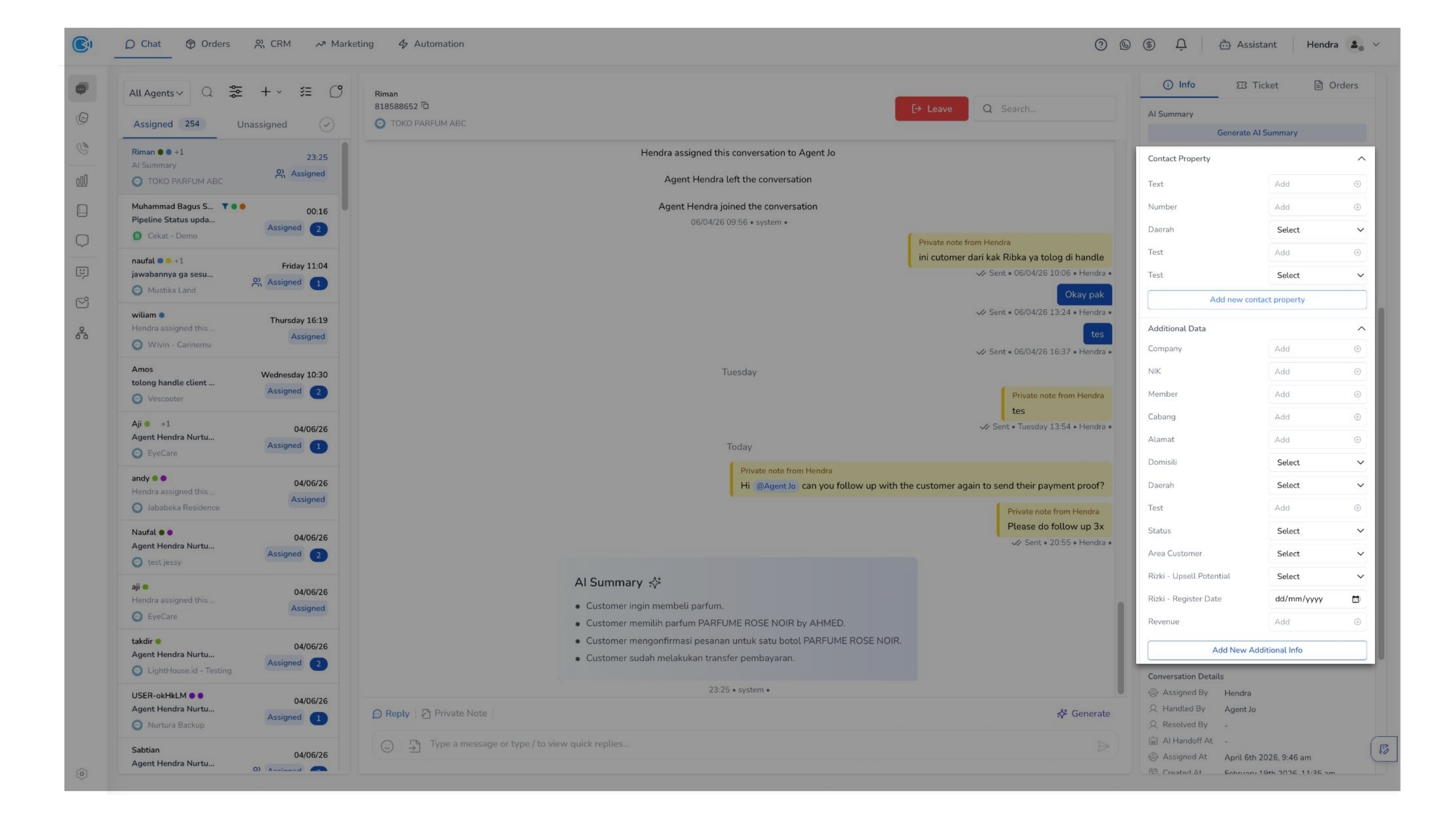
This section contains customizable fields related to the customer or conversation. You can use it to store information such as customer preferences, and other relevant data.
h. Conversation Details
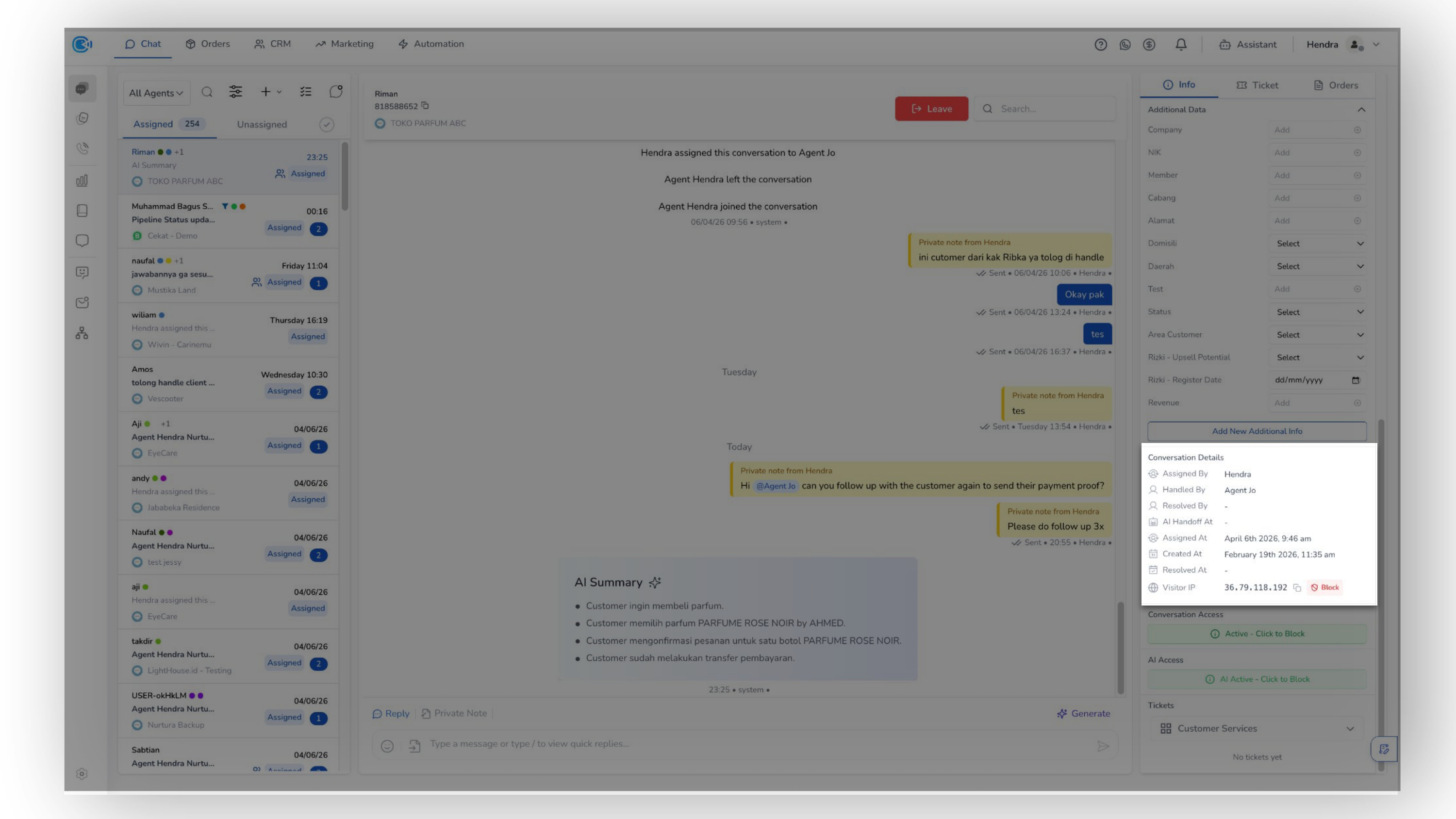
This section helps provide you with visibility into conversation ownership and lifecycle, helping ensure transparency, accountability, and better tracking of interactions.
i. Conversation Access
This can be used in cases such as spam or unwanted communication.
j. AI Access
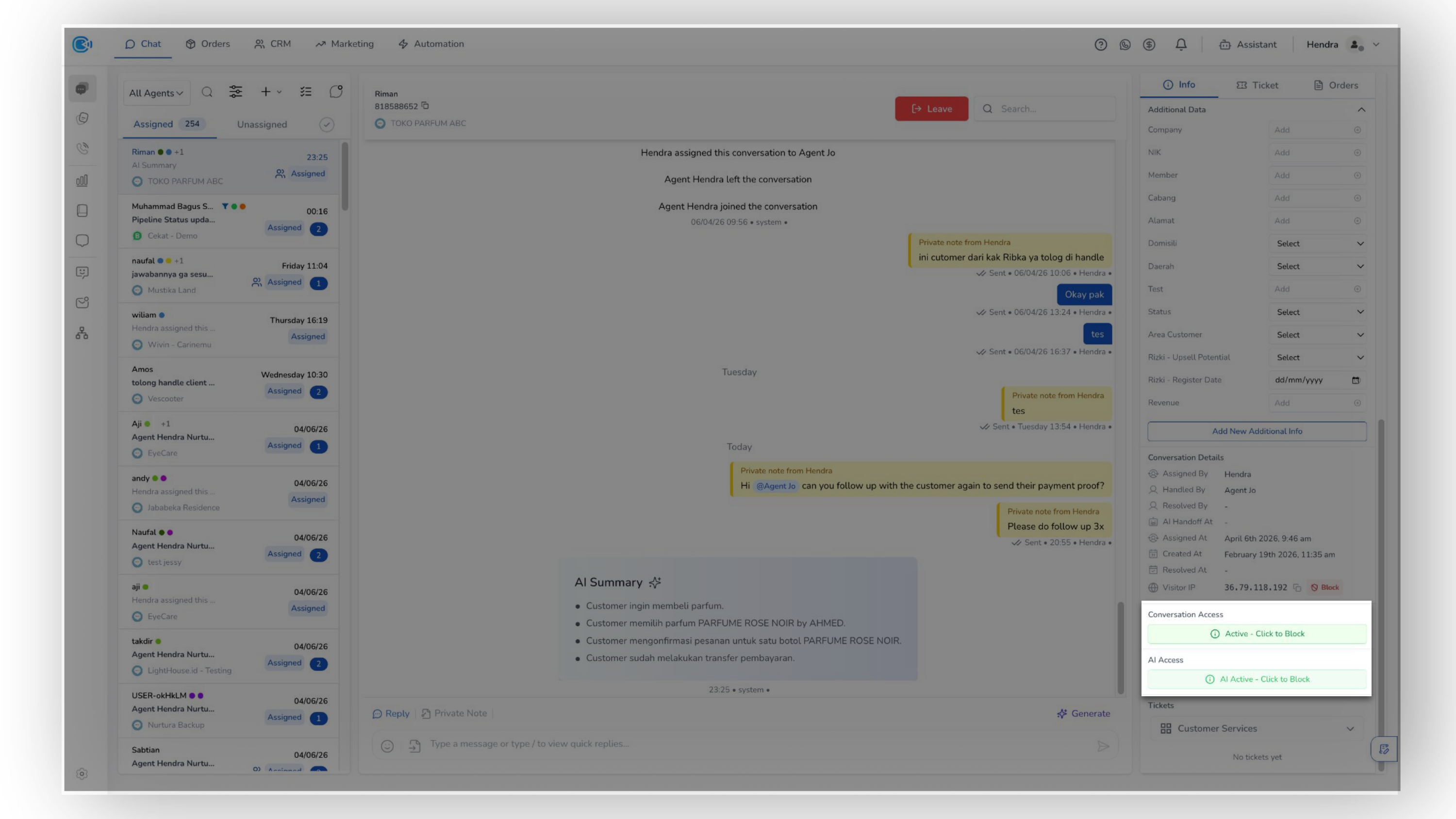
This can be used in cases such as spam or unwanted communication.