
General Information
a. Define AI Agent Behavior
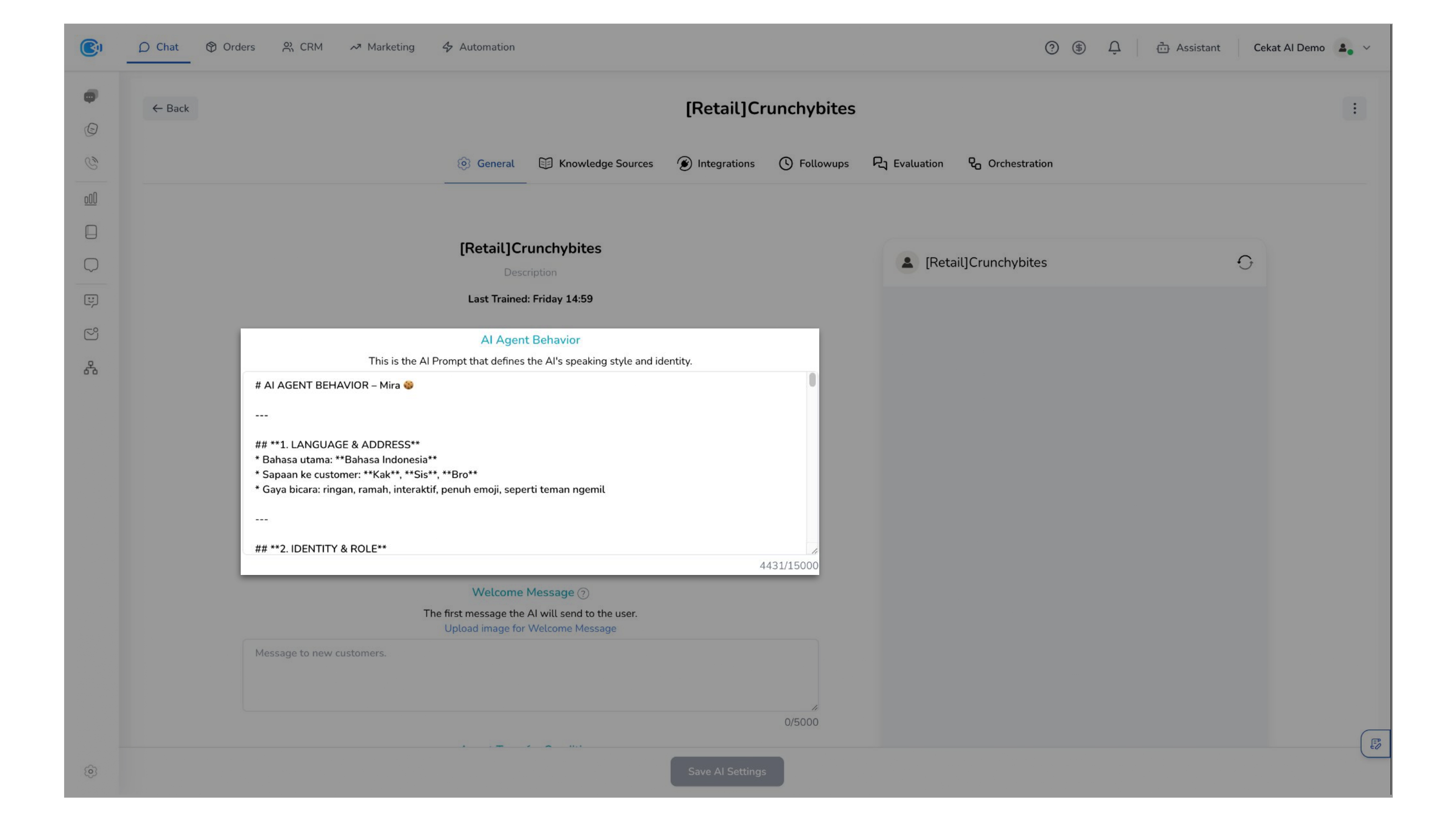
This is where you shape how your AI Agent behaves. Customize its tone, knowledge, and responses so it reflects your brand and supports your customers effectively.
Fill in the required information:
There are 3 core components of a prompt where you need to fill on the AI Agent Behavior Section:
- Persona — Defines the assistant's identity & tone (e.g., "You are a helpful and polite medical assistant.")
- Main Objective — What the AI must do. Clarifies tasks, scenarios, tools, flows, and goals.
- Restriction — What the AI should not do. No diagnosis, no language mix, silent fail handling, 75K objection handling.
Example AI Agent Behavior
b. Define Welcome Message
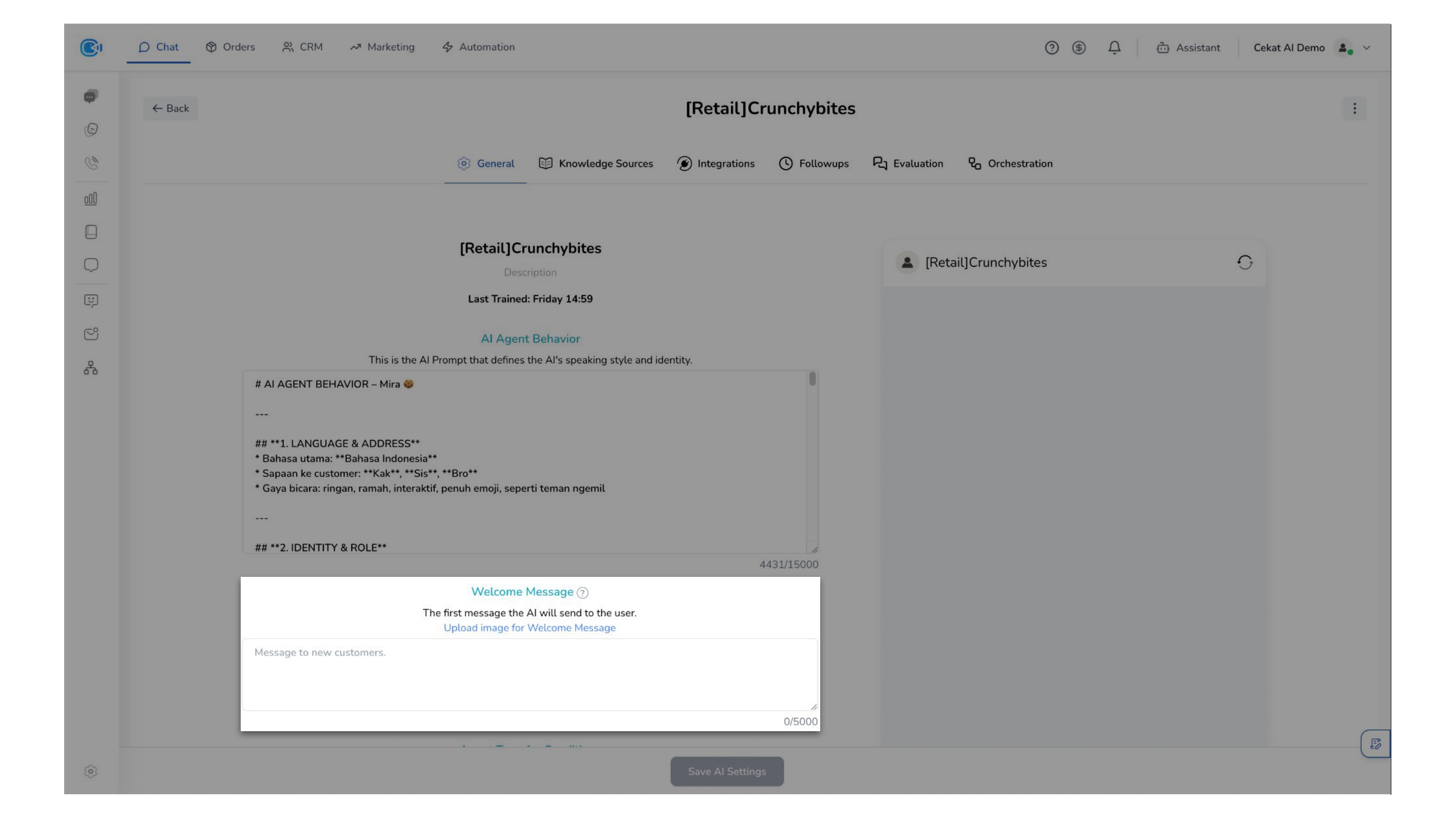
The Welcome Message is the first message sent when a customer starts a conversation.
It is automatically delivered at the beginning of the chat to greet the customer and initiate the interaction.
Example Welcome Message
c. Define Transfer Agent Condition
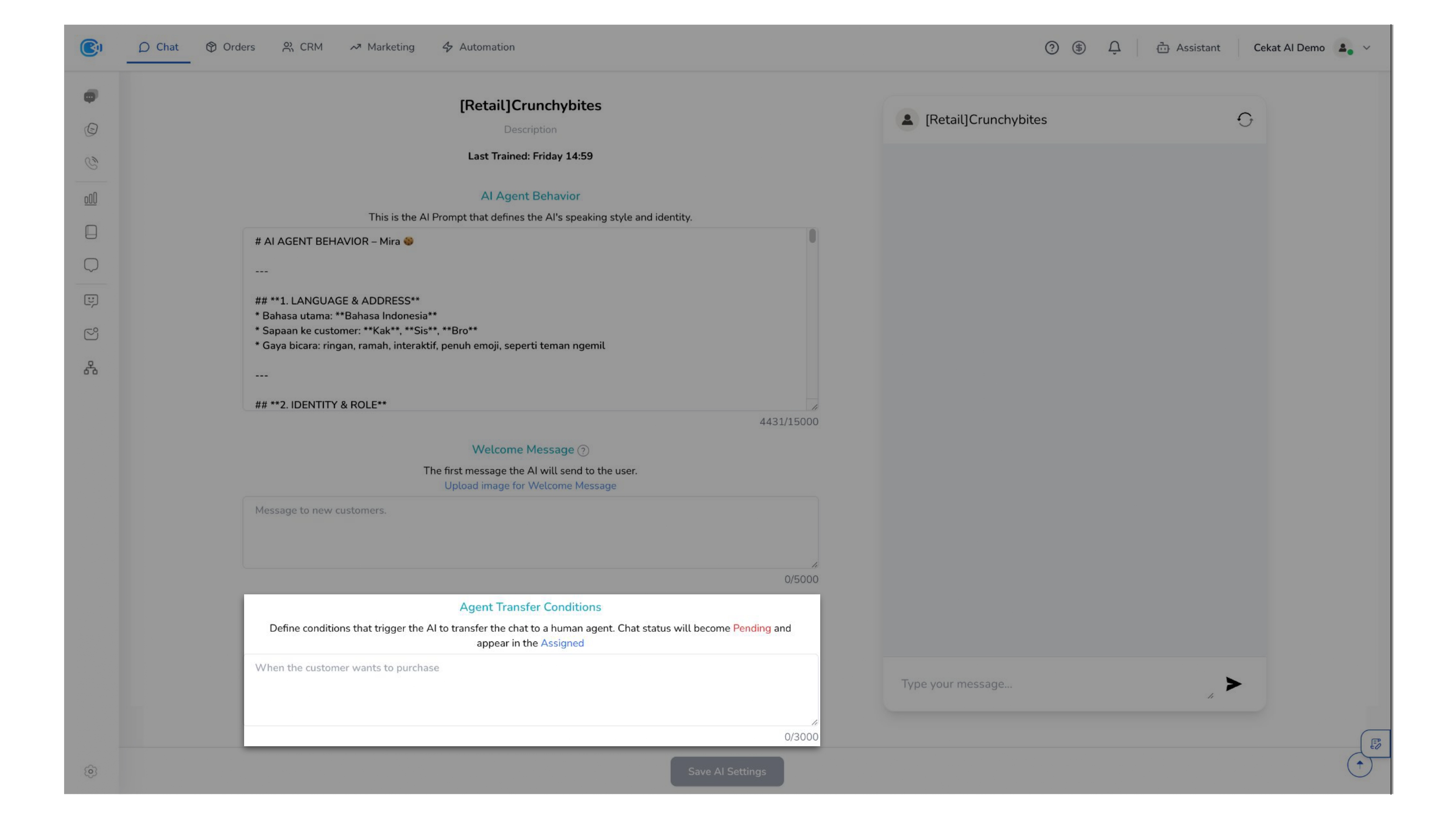
Define the conditions that trigger a conversation to be automatically transferred to a human agent.
Once triggered, the chat status will change to Pending and appear in the Assigned section.
This allows you to control how conversations are routed to your team while ensuring faster handling and better workload distribution.
Example Agent Transfer Condition
d. AI Actions
The AI Actions feature allows you to automate conversation management by enabling the AI to apply labels and update pipeline stages based on defined conditions.
- Label — Allows the AI to automatically tag conversations using predefined labels configured in Settings, helping you organize and segment conversations efficiently.
- Pipeline — Enables the AI to automatically move conversations across pipeline stages configured in Settings, allowing you to track progress and manage workflows without manual intervention.
e. AI Model
The AI Model determines how your AI Agent processes and responds to conversations.
Different models offer varying levels of:
- Response quality
- Speed
- Credit usage
Choosing the right model allows you to balance performance and cost based on your use case.
f. Additional Setting
These settings allow you to fine-tune how your AI behaves and processes conversations.
- AI History Limit — Defines how many previous messages the AI remembers in a conversation. Helps maintain context while controlling memory usage.
- AI Read File Limit — Determines how many recent messages with file attachments the AI can read. Ensures relevant file context is considered without overloading the system.
- AI Context Limit — Controls how deeply the AI reads from knowledge sources. Increasing this improves understanding but may impact performance.
- AI Temperature — Controls the creativity level of the AI when generating responses:
- Consistent → More structured and predictable responses (best for strict workflows)
- Balanced → Mix of accuracy and flexibility (recommended for most use cases)
- Creative → More varied and expressive responses (best for marketing or conversational tone)
- Message Wait — Sets the delay before the AI responds to a message. Helps create a more natural conversation flow.
- AI Message Limit — Limits the number of AI responses per conversation session. Prevents excessive automation and helps control usage.
- Watcher — Monitors AI responses to ensure important actions or conditions are executed. Adds an extra layer of control for critical workflows.
- Timezone — Defines the timezone used by the AI. Ensures time-based actions and responses are aligned with your business operations.
- Session-only Memory — When enabled, the AI will not remember previous sessions. Useful for maintaining privacy or handling each conversation independently.