
Follow Up
The Follow-Up Message feature allows you to automatically send a message to customers after a defined delay.
It helps re-engage conversations and ensure no customer interaction is left unattended.
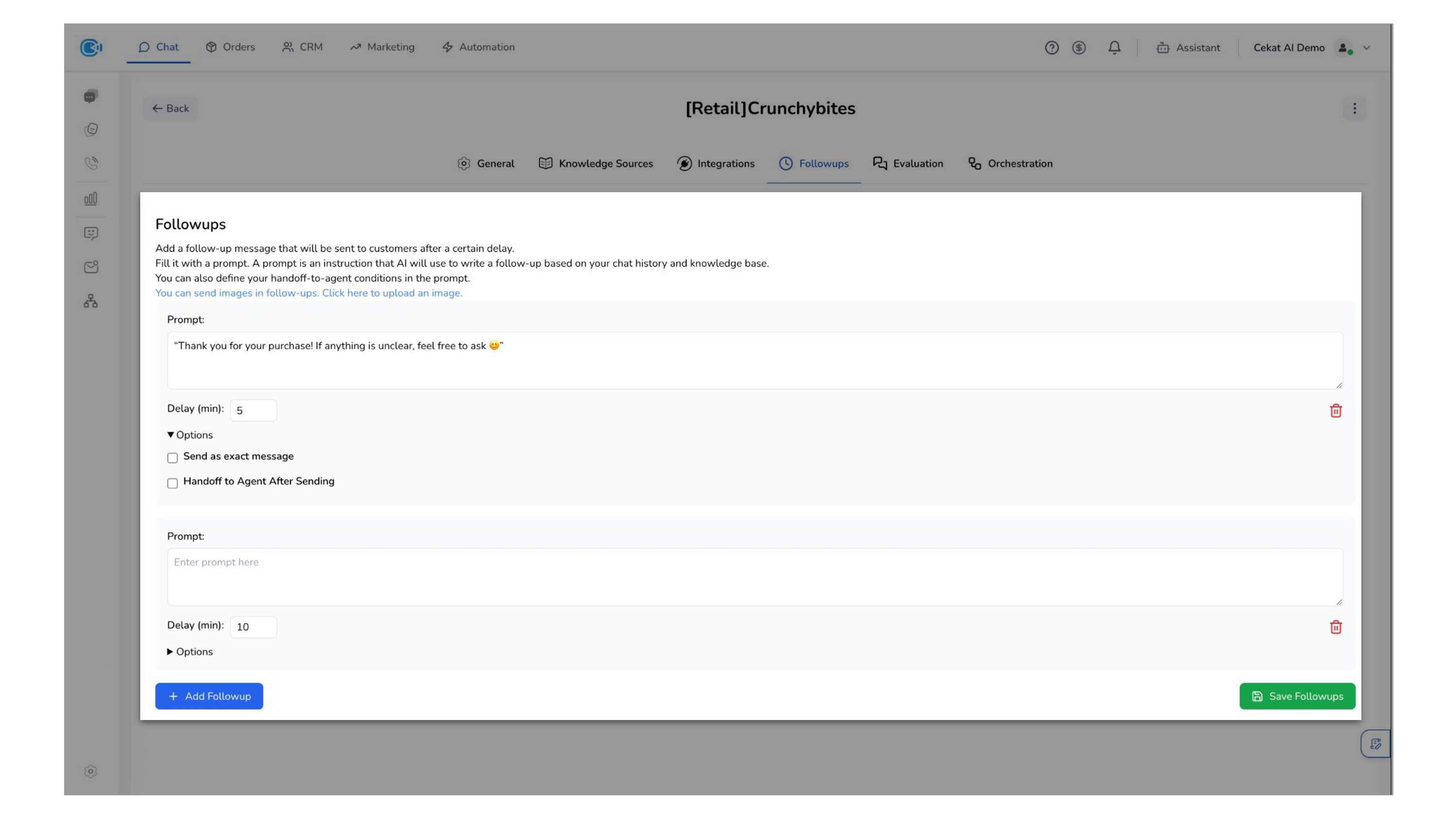
Setup Follow Up Section
This section allows you to configure how follow-up messages are generated and delivered.
You can choose between two approaches:
- Prompt-based message — Provide a prompt as an instruction for the AI to generate a follow-up message based on the conversation history and your knowledge base. This ensures responses are contextual and adaptive.
- Send as exact message — Define a fixed message that will be sent exactly as written, without AI generation. This is useful for standardized or controlled communication.
You can also define handoff-to-agent conditions within the prompt, allowing conversations to be routed to a human agent when needed.
In addition, you can configure a delay (idle time) before the follow-up is sent. The delay can be set up to a maximum of 24 hours, allowing you to control when re-engagement happens based on your business needs.
Follow-up messages can include images to make communication more engaging and informative.